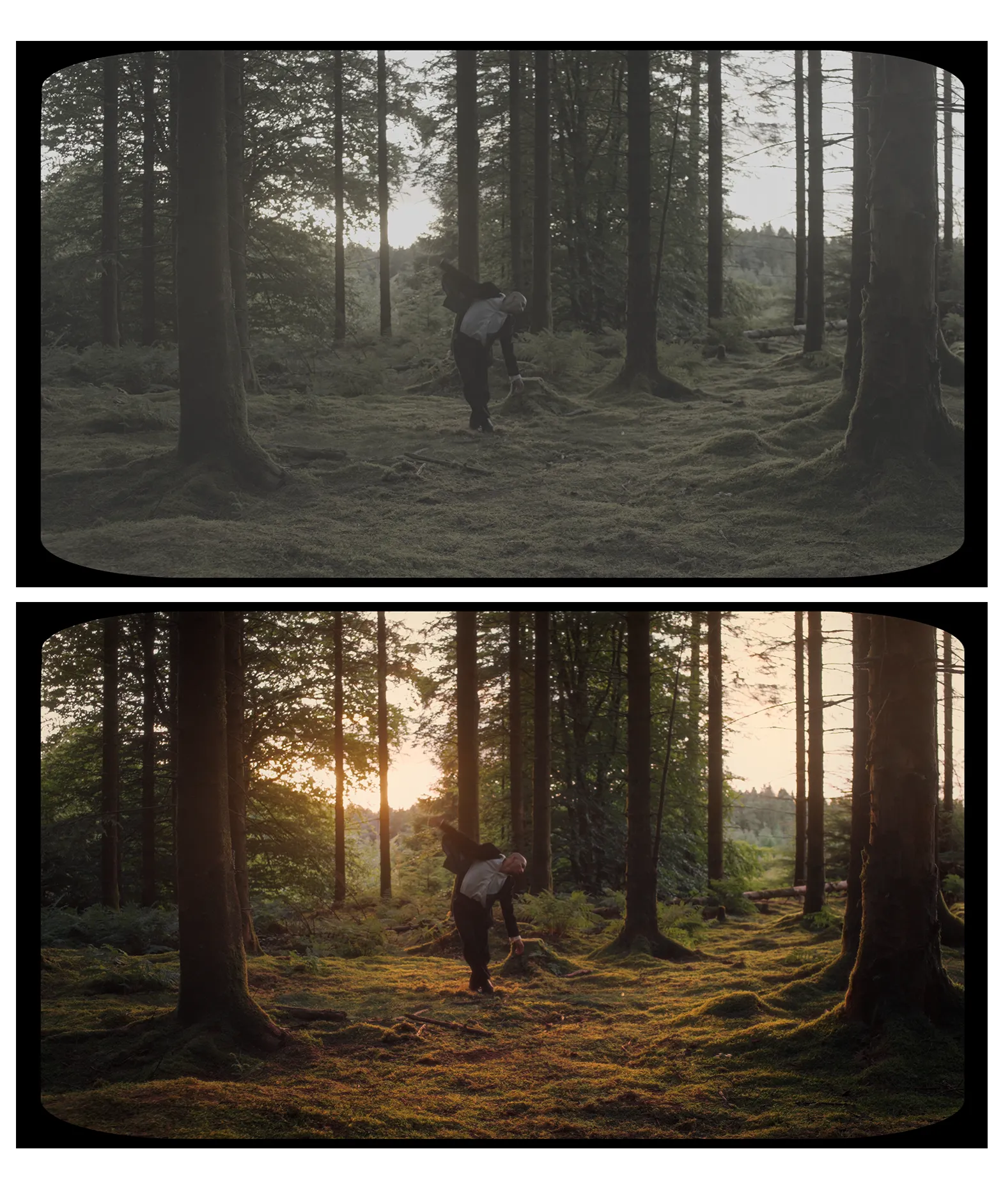
TrashDollys Powergrade Collection
I developed these Powergrades in DaVinci Resolve in 2021, and they have been the foundation for my colour grading ever since.
Unlike static LUTs, Powergrades are fully customisable, giving you total control over every node to perfectly match your footage.
This collection includes three distinct looks:
Nocturne
High-contrast, gritty, and optimised for low-light urban environments.

Solstice
Designed to catch the warmth of golden hour while maintaining deep, organic shadows.

Ether
An ethereal, atmospheric look for high-key and foggy environments.

What’s Included:
3 .drx files: Powergrades ready to be imported into your DaVinci Resolve Gallery.
Tutorial: If you’re new to Resolve, I’ve included a guide on how to install and navigate the node tree so you can start grading immediately.
Reference Guide:An at a glance map of the entire 4 phase node tree, essential keyboard shortcuts, and tips for fine tuning your image.

Technical Specifications:
These Powergrades are built within a DaVinci Wide Gamut (DWG) intermediate colour space for maximum dynamic range and flexibility.
Native Input: S-Log3 / S-Gamut3.Cine (Sony).
The Pipeline: The node tree uses a CST (Colour Space Transform) - It converts your log footage into DWG for the grading process and outputs to Rec.709 for delivery.
Universal Compatibility: If you shoot on a different camera, simply swap the first Input CST node to match your camera’s log profile.
Note: These Powergrades utilise ‘ColorSlice,’ a feature introduced in DaVinci Resolve 19. To ensure full functionality, please ensure your software is up to date.